You'll also find in this mode two very important features : Import and Export.
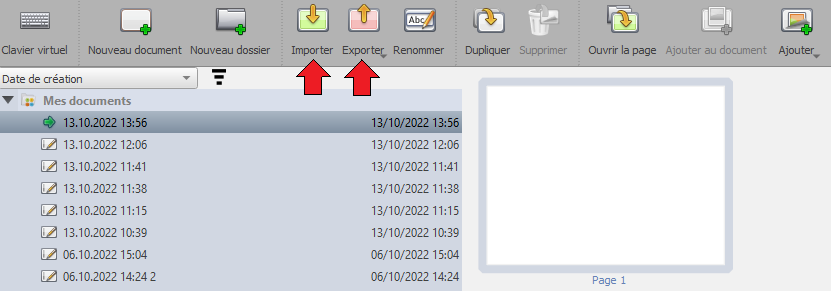
Import
You can import PDF files (.pdf), images (.png, .jpg), SaiCore documents (.ubz) or SaiCore folders (.ubx), by clicking on 
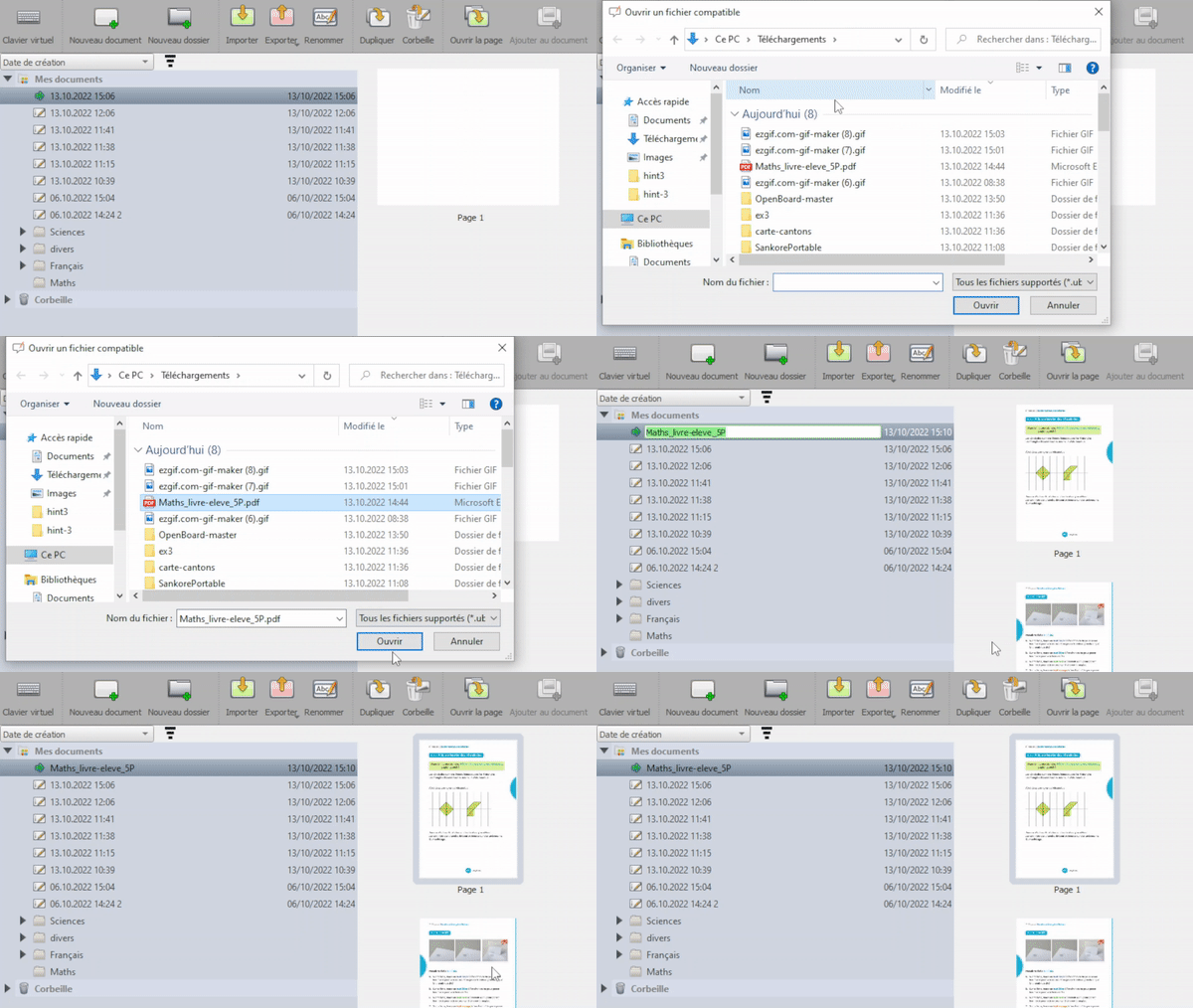
Note that you can also import an SaiCore document (.ubz) by double-clicking on it. It will launch SaiCore if not already launched, and import it (or ask for replacement if it already exists).
 You can also import multiple elements at a time, without having to click on again and again.
Export
You can export an SaiCore document to PDF or UBZ, and an SaiCore folder to UBX. Thus, you can, for example :
- Save the work done during a class session and share it with a missing student
- Share it with other teachers, or store it on an USB device and open it on another computer
- Import a student's homework in the PDF format, annotate it, and export the annotated PDF to send it back to the student
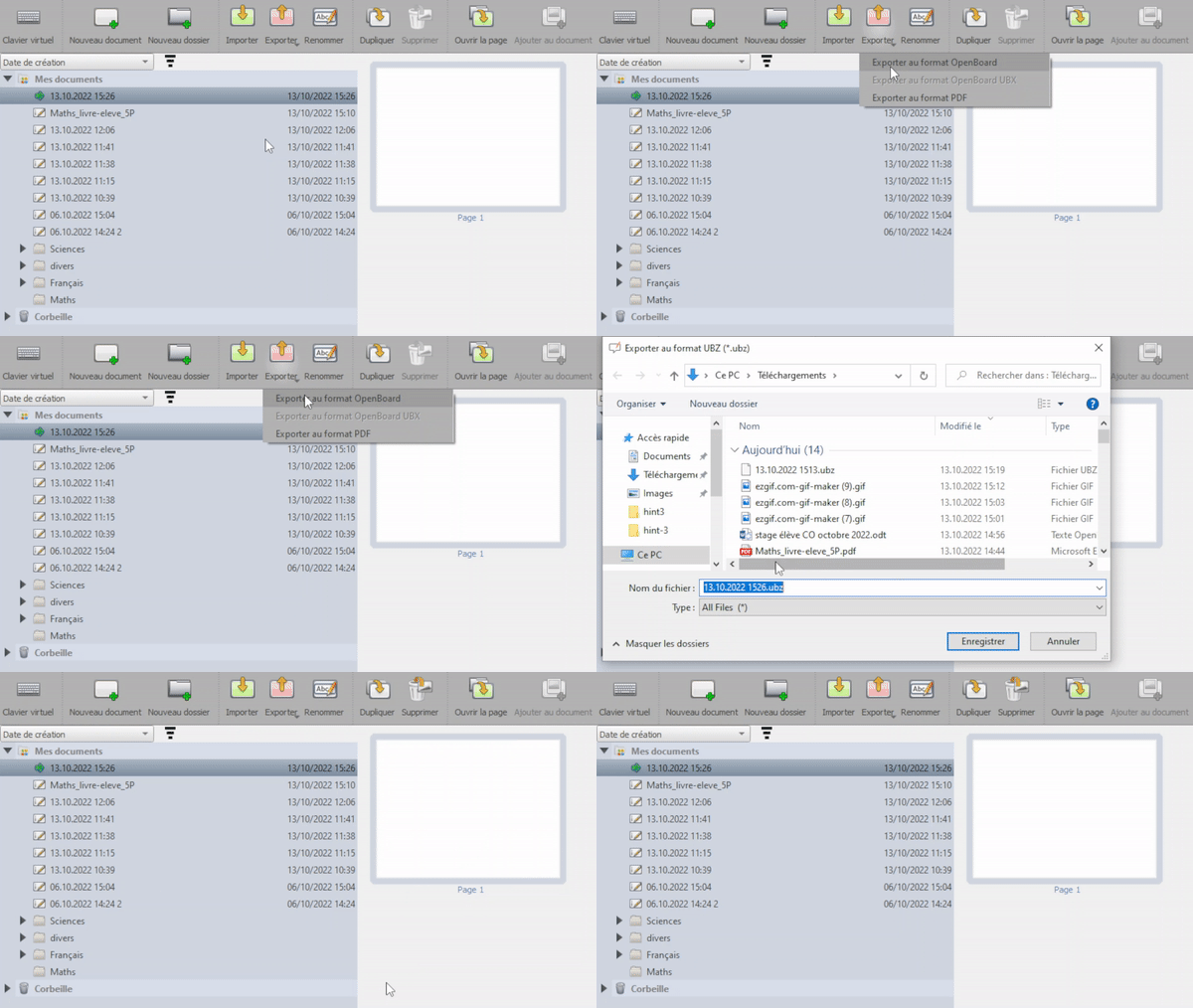 Export all your documents by selecting the "My documents" folder before clicking on the export button, to export it as a UBX file, and then import it on another computer. It's also a good way to make a backup of your work !